
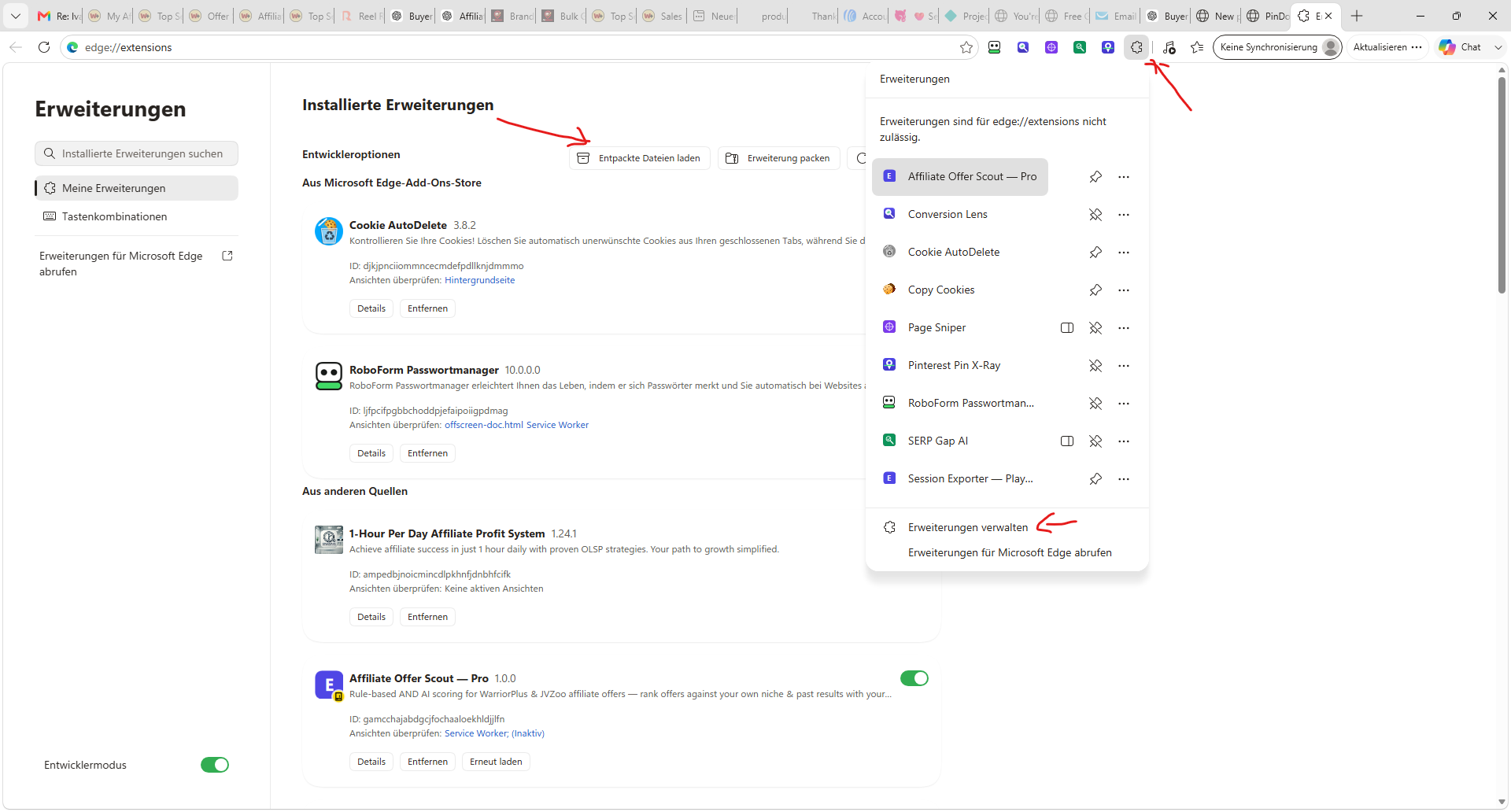
Just a short tutorial on how to install Chrome extensions if they are not listed in the ChromeStore! Normally you can install them into every chrome compatible browser like Edge, brave and many others!
- Download the Zip and Unpack it!
- Open Chrome and Click on the Extension Icon!
- Choose Manage Extensions from the menu!
- Make sure the Dev Mode is activated!
- Now click on load unpacked and choose the folder you extracted earlier! Make sure its the folder with the manifest file inside it, in some cases you have a folder inside a folder wiht the extension, here you need to choose the lower level folder!
As file attachment you can download my Image Extractor for Chrome - Just highlight the images (Or Pins) you want to download, right click and download all at once into a folder inside your Download folder!
Comments (0)
Log in to join the conversation